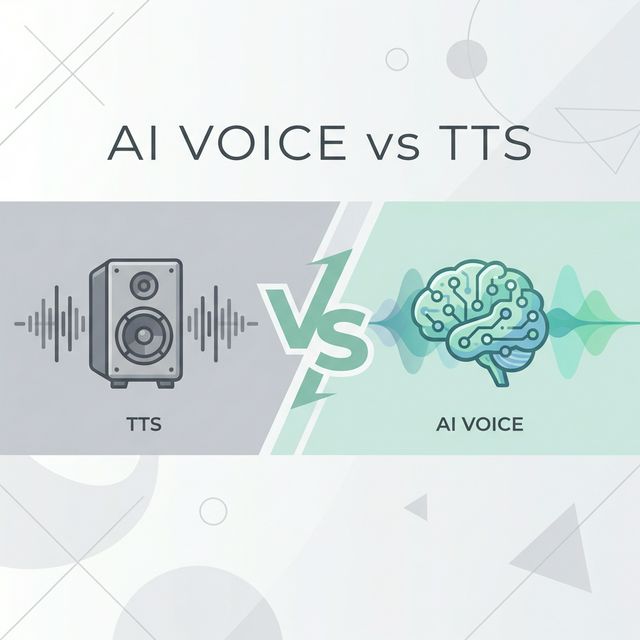
Dyslexia and other reading challenges can make accessing written information difficult. However, technology offers powerful solutions, and Text-to-Speech (TTS) tools are at forefront of providing essential reading support. This guide explores how free TTS tools can be a game-changer for individuals with dyslexia, helping to unlock a world of written content.
Understanding Dyslexia and Reading Challenges
Dyslexia is a common learning difficulty that primarily affects the skills involved in accurate and fluent word reading and spelling. It's important to remember that dyslexia is not a sign of low intelligence. Individuals with dyslexia may experience:
- Difficulty decoding words
- Slow reading speed
- Challenges with reading comprehension
- Visual stress when looking at text
These challenges can make academic, professional, and everyday reading tasks frustrating and tiring.
How Text-to-Speech (TTS) Can Help
Free Text-to-Speech tools convert written text into spoken words, offering an alternative way to access information. This can be incredibly beneficial for individuals with dyslexia by:
- Reducing Decoding Load: TTS bypasses the need to decode every word, allowing the listener to focus on comprehension.
- Improving Reading Speed and Fluency: Listening to text read aloud can help improve reading pace and expose users to fluent reading models.
- Enhancing Comprehension: By hearing the text, users can often grasp the meaning and nuances more easily.
- Reducing Visual Stress: TTS eliminates the visual strain associated with reading for extended periods.
- Boosting Confidence and Independence: Access to TTS tools empowers individuals to engage with written materials independently.
- Supporting Multimodal Learning: Combining auditory input (listening) with visual input (seeing the text, often with highlighting) can reinforce learning.
Key Features to Look for in Free TTS Tools for Dyslexia Support
When selecting a free TTS tool for dyslexia and reading support, consider these helpful features:
1. High-Quality, Natural-Sounding Voices
A clear, natural-sounding voice is less fatiguing to listen to for extended periods. Look for tools that offer a variety of voices to find one that is pleasant and easy to understand.
2. Adjustable Speech Rate
The ability to slow down or speed up the reading pace is crucial. Beginners may prefer a slower rate, while more proficient users might increase the speed for efficiency.
3. Text Highlighting
Many TTS tools highlight words as they are read aloud. This visual tracking can significantly improve focus and help associate the spoken word with its written form.
4. Simple and Intuitive Interface
The tool should be easy to use, with straightforward controls for play, pause, stop, and voice/speed adjustments. A cluttered interface can be a barrier.
5. Cross-Platform Compatibility
Consider whether the tool works across different devices (desktops, tablets, smartphones) and operating systems, or as a browser extension for online content.
6. OCR (Optical Character Recognition) Capabilities
Some advanced free TTS tools may include OCR, which allows them to read text from images, PDFs, or even physical documents when used with a camera. This greatly expands the range of accessible materials.
Tips for Effectively Using TTS for Reading Support
- Start Slow: Begin with a slower speech rate and gradually increase it as comfort and comprehension improve.
- Use Headphones: Headphones can help minimize distractions and improve focus on the audio content.
- Follow Along: Encourage visually tracking the text as it's read aloud, especially if highlighting is available.
- Break Down Large Texts: For longer documents, break them into smaller, manageable sections.
- Choose the Right Voice: Experiment with different voices to find one that is clear and engaging for the user.
- Combine with Other Strategies: TTS is a powerful tool, but it's often most effective when used in conjunction with other reading strategies and support.
Finding Free Text-to-Speech Resources
Many free online text-to-speech converters and browser extensions offer excellent functionality for dyslexia support. While many options are available, our own free TTS tool offers a user-friendly interface, high-quality voices, and adjustable speech rates, making it an excellent choice for individuals with dyslexia.
You can also search for:
- "Free text to speech online"
- "TTS browser extension for [your browser]"
- "Accessibility tools for reading"
Operating systems like Windows, macOS, iOS, and Android also have built-in text-to-speech features. Explore the accessibility settings on your devices.
Conclusion
Free Text-to-Speech tools offer invaluable support for individuals with dyslexia and other reading challenges. By converting text into audible speech, these tools can significantly improve reading comprehension, reduce frustration, and foster a greater love for learning and information. With a variety of features and options available, finding the right TTS solution can make a profound difference in academic success and daily life.
Explore the options, experiment with different tools, and discover how TTS technology can empower you or those you support on their reading journey.
For more information on making the most of TTS, check out our Best Practices for Text-to-Speech or our guide on How to Use Our TTS Tool.