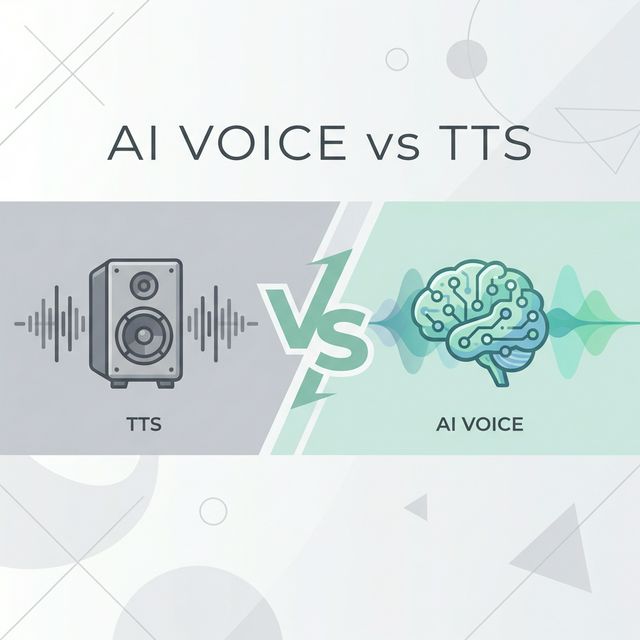
Welcome to the world of Text-to-Speech (TTS). Whether you are a content creator, an educator, or someone looking to boost productivity, this guide will serve as your roadmap. We have curated our best resources to take you from "What is TTS?" to "Pro User" in no time.
What is Text-to-Speech?
Text-to-Speech (TTS) is technology that converts written text into spoken audio. At its core, TTS systems analyze text input, determine how words should be pronounced, and generate audio output that sounds like human speech.
Modern TTS has evolved dramatically from the robotic voices of the past. Today's neural TTS engines produce speech that is often indistinguishable from human recordings, complete with natural intonation, appropriate pauses, and even emotional expression.
How Does TTS Work?
The process involves several stages:
- Text Analysis: The system breaks down input text into sentences, words, and phonemes (basic sound units).
- Linguistic Processing: It applies rules for pronunciation, including handling abbreviations, numbers, and special characters.
- Prosody Prediction: The engine determines rhythm, stress, and intonation patterns.
- Audio Synthesis: Finally, it generates the actual audio waveform you hear.
Modern AI-powered TTS uses neural networks trained on thousands of hours of human speech, allowing them to learn patterns that rule-based systems could never capture.
Part 1: The Basics
Before diving into tools, it helps to understand how the technology works and why modern "Neural" voices sound so much better than the robotic voices of the past.
- Understand the Tech: Learn the difference between standard synthesis and AI-driven audio in our guide: Neural TTS Voices Explained.
- Why It Matters: Discover the impact of true unlimited access in Why True Free Unlimited TTS Service Matters.
Key Terminology
As you explore TTS, you will encounter these terms:
- Neural TTS: Uses deep learning models to generate more natural-sounding speech
- Voice Cloning: Technology that replicates a specific person's voice
- SSML: Speech Synthesis Markup Language, allowing fine control over pronunciation and timing
- Prosody: The patterns of stress and intonation in speech
- Phoneme: The smallest unit of sound in a language
Part 2: Getting Started
Ready to generate your first audio file? It is easier than you think.
- Step-by-Step Tutorial: Follow our visual guide on How to Use Our Free TTS Converter. It covers everything from inputting text to downloading MP3s.
- Pronunciation: Want to sound like a native speaker? Check out Master Pronunciation.
Your First TTS Project
Here is a quick walkthrough to create your first audio:
- Prepare Your Text: Write or paste the text you want to convert. Start with something short—a paragraph or two.
- Choose a Voice: Select from available voices based on language, gender, and style.
- Adjust Settings: Most tools let you modify speed and pitch. Start with defaults and adjust from there.
- Generate and Preview: Create the audio and listen. Does it sound natural? Make adjustments if needed.
- Download: Save your audio file in your preferred format (MP3, WAV, etc.).
Common Beginner Mistakes
Avoid these pitfalls when starting out:
- Walls of text: Break long content into smaller chunks for better processing
- Missing punctuation: Proper punctuation helps TTS understand where to pause
- Ignoring preview: Always listen before downloading the final file
- Wrong voice for content: Match voice characteristics to your content type
Part 3: Choosing the Right Tool
Not all TTS tools are created equal. Depending on your needs (podcasting, casual listening, or app development), you might need different features.
- The Big Comparison: We tested the top tools on the market. See the results in 5 Best Free Text-to-Speech Tools Compared.
- AI vs. Human: Can AI really replace human voice actors? We explore the pros and cons in AI Voiceover vs. Human Narrators.
What to Look For in a TTS Tool
When evaluating options, consider:
| Feature | Why It Matters |
|---|---|
| Voice Quality | Natural-sounding voices improve listener engagement |
| Language Support | Essential if you create multilingual content |
| Speed Control | Lets you adjust pacing for different use cases |
| Export Formats | MP3 for web, WAV for editing, others for specific platforms |
| Character Limits | Some tools restrict how much text you can convert |
| Privacy | Does the tool upload your text to servers? |
| Cost | Free tiers, pay-per-use, or subscriptions |
Free vs. Paid: What You Really Get
Free TTS tools have improved dramatically. Many now offer:
- High-quality neural voices
- Multiple language options
- Reasonable character limits
- Standard audio formats
Paid services typically add:
- Voice cloning capabilities
- API access for developers
- Priority processing
- Commercial usage rights
- Advanced SSML support
Part 4: Pro Tips & Best Practices
Once you have the basics down, it is time to refine your output. Small tweaks in punctuation and spacing can make a huge difference.
- Make It Sound Natural: Learn how to use pauses, speed, and emphasis in our Best Practices Guide.
- For Long Content: Converting a whole book? Read about Long Text Free TTS Tools.
Advanced Techniques
Take your TTS output to the next level:
Control Pacing with Punctuation
- Use commas for short pauses
- Periods create longer breaks
- Ellipses (...) add dramatic pauses
- Question marks adjust intonation automatically
Handle Difficult Words
- Spell out acronyms phonetically when needed
- Use hyphens to break up compound words
- Add pronunciation hints for unusual names
Optimize for Your Platform
- Podcasts: Slightly slower speed, warm voice tones
- Videos: Match voice energy to visual pacing
- Accessibility: Clear enunciation, moderate speed
- Learning content: Deliberate pace with natural pauses
Quality Checklist
Before publishing TTS content, verify:
- No mispronounced words
- Natural-sounding pauses
- Appropriate speed for the content
- Correct emphasis on key terms
- Clean audio without artifacts
Part 5: Use Cases and Applications
TTS technology serves diverse needs across industries:
Content Creation
- YouTube narration
- Podcast intros and outros
- Social media video voiceovers
- Blog post audio versions
Education
- E-learning course narration
- Language learning pronunciation guides
- Accessibility for students with reading difficulties
- Study material audio versions
Business
- IVR and phone systems
- Product demos and tutorials
- Internal training materials
- Customer service automation
Personal Productivity
- Listening to articles during commutes
- Proofreading by hearing your writing
- Creating audio notes and reminders
Part 6: Future Trends
Where is voice technology going? Stay ahead of the curve.
- 2026 Trends: From emotional prosody to real-time conversation, read about AI TTS Trends to Watch in 2026.
What to Expect
The TTS landscape continues to evolve:
- Emotional intelligence: Voices that automatically match content sentiment
- Real-time synthesis: Instant conversion for live applications
- Personalization: Custom voices from minimal audio samples
- Multimodal AI: Integration with video and image generation
Ready to start? Jump straight into our Free Text-to-Speech Generator and try it out yourself. With this guide as your foundation, you are well-equipped to create professional audio content without the complexity or cost of traditional recording.